Shape your order process exactly your way
An all-in-one order management and tracking software for your orders. Create customized order forms and track client fulfillment phases from start to finish.
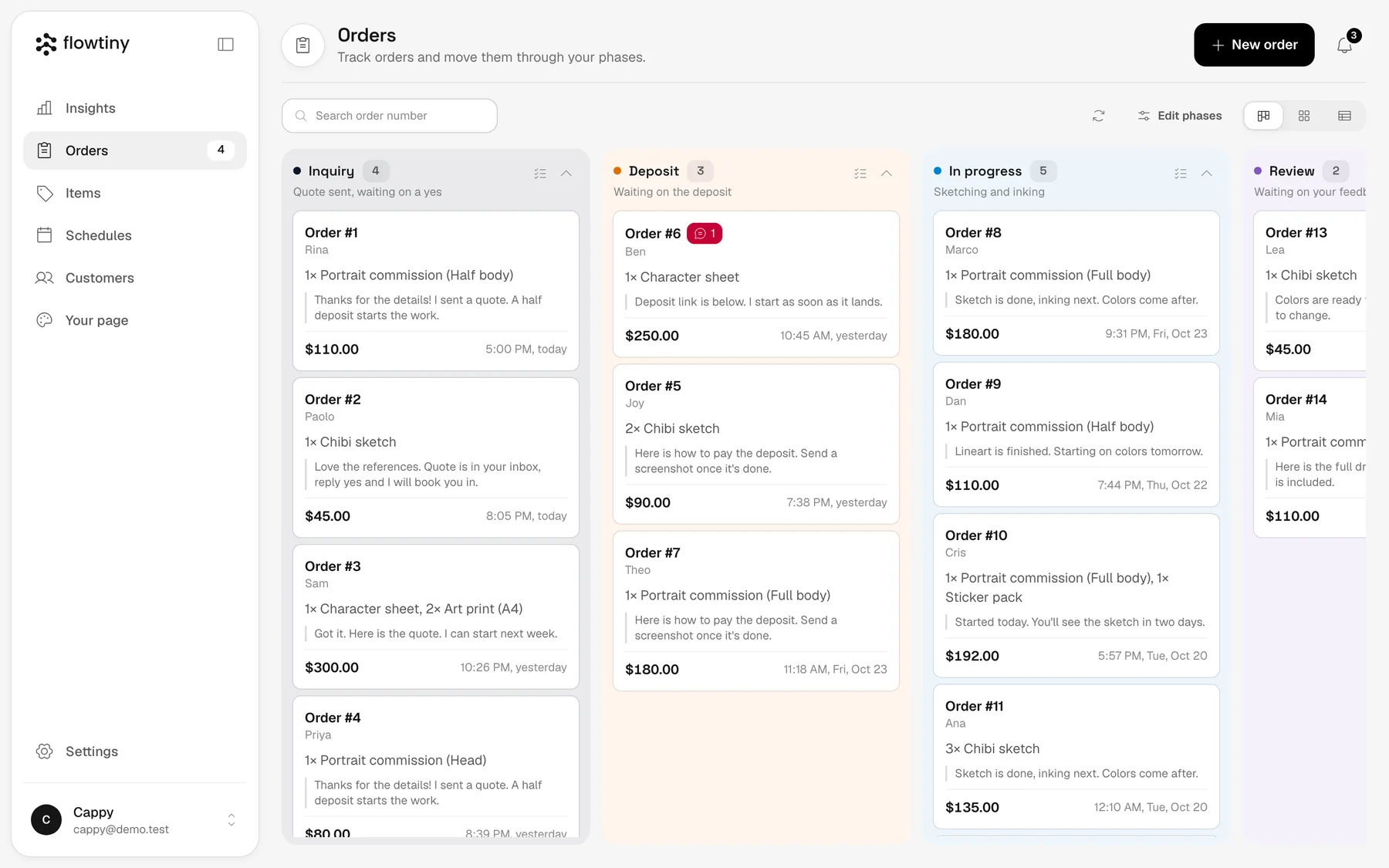
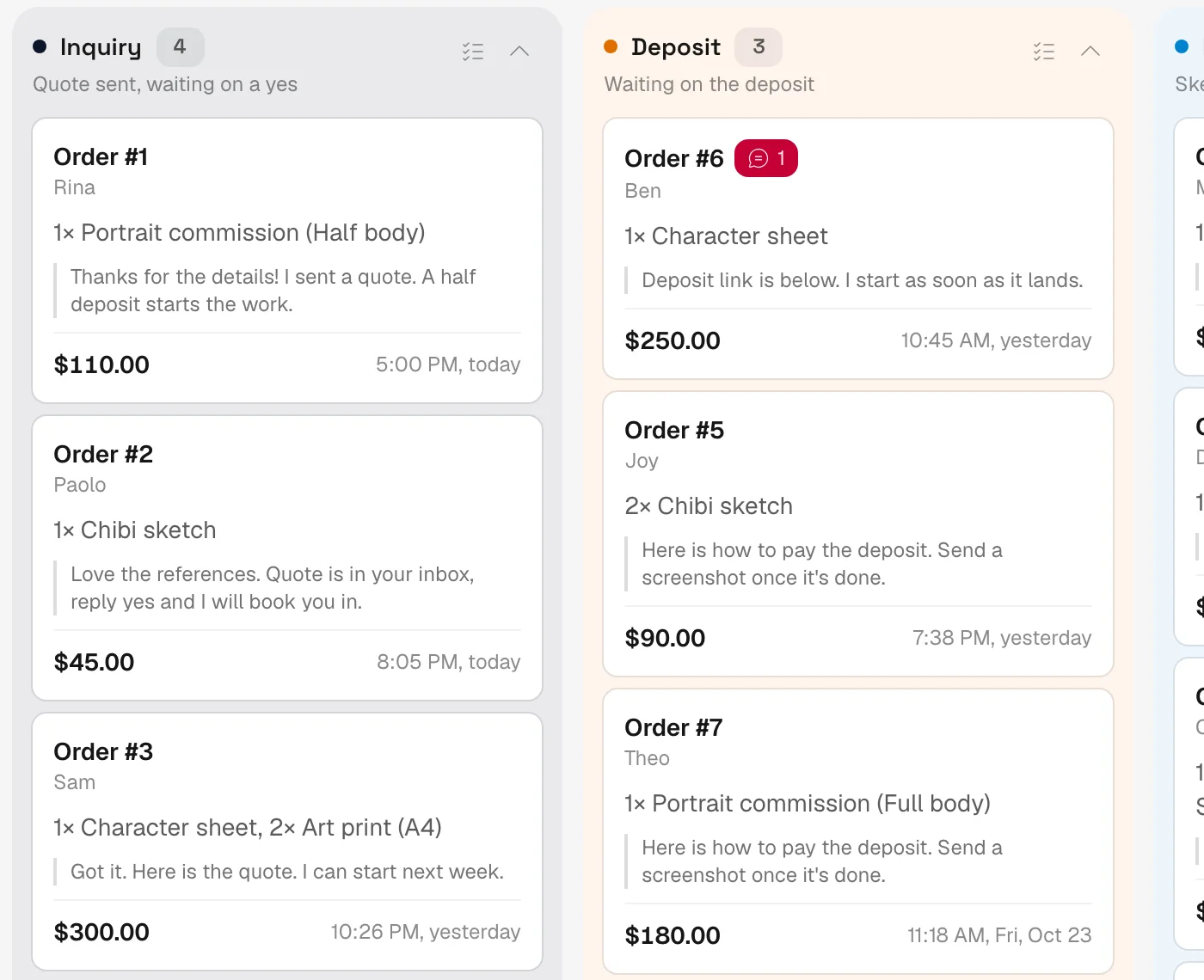
Every order on one board, in phases you name.
For anyone who takes orders
Your orders live in too many places
A piece of an order lives in a chat thread. Another piece is trapped in a spreadsheet, a paper notebook, or your phone's camera roll. The payment confirmation is a screenshot buried somewhere else, and the glue holding it all together is just your memory. When nothing holds the whole story, you waste half your day scrolling through old messages just to match a payment or answer the exact same question twice. When everything is scattered, nobody can look up the truth. Not even you.
The software industry tries to fix this by selling you things you don't need. Standard store builders force you to manage complex shipping rates, configure tax brackets, and buy custom domains. Traditional point-of-sale systems demand expensive hardware terminals. Marketplaces take a massive cut of your hard work while dictating how you operate.
Reject the bloat. You don't need an enterprise e-commerce stack just to take a direct order from a customer.
It's your business. That means it should be your workflow and your sales. You tell customers how to pay, they pay you directly, and you keep 100% of what you make. You just need one clean, simple home for every order, configured exactly your way. That's Flowtiny.
A page to order from, a board to run it
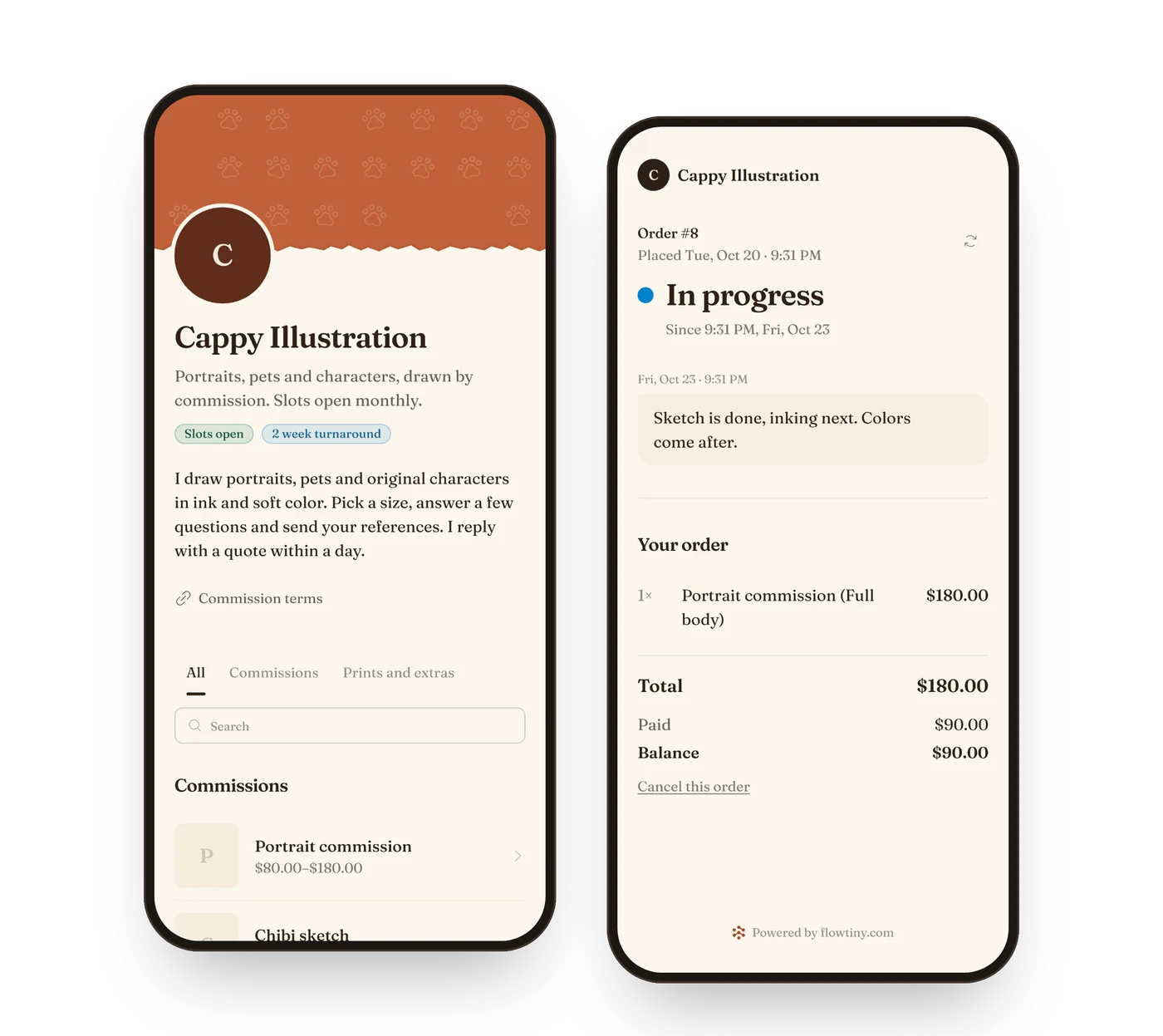
Customers order from your catalog and follow their order on a page of its own. You run every order from one board.
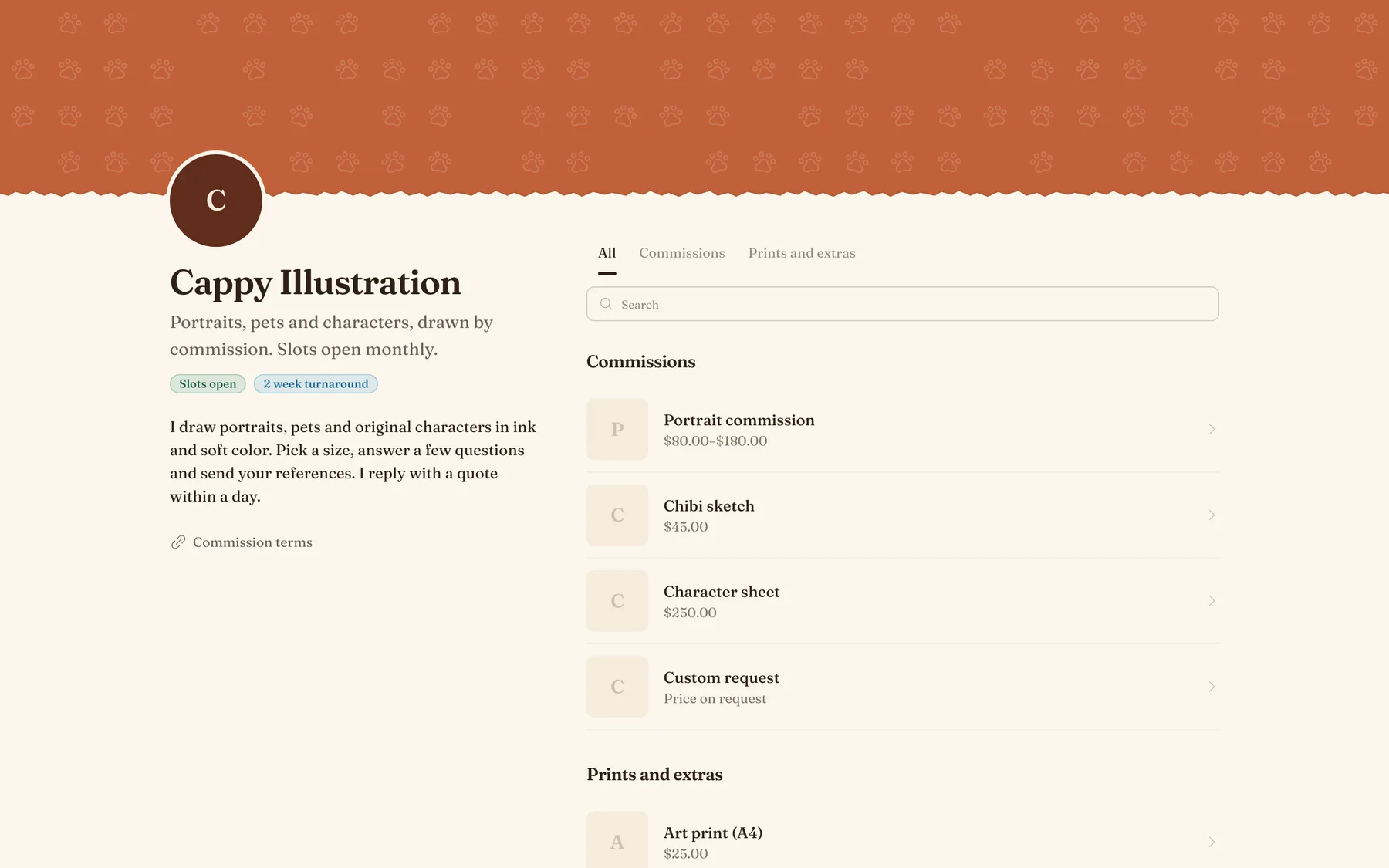
A catalog of your own
Your items, with photos, sizes and prices, on a page at your own link. Your colors, font and layout.
One board for every order
Every order lands in a phase you named. Move it along, and add an item, a charge, a discount or a deposit without leaving it.
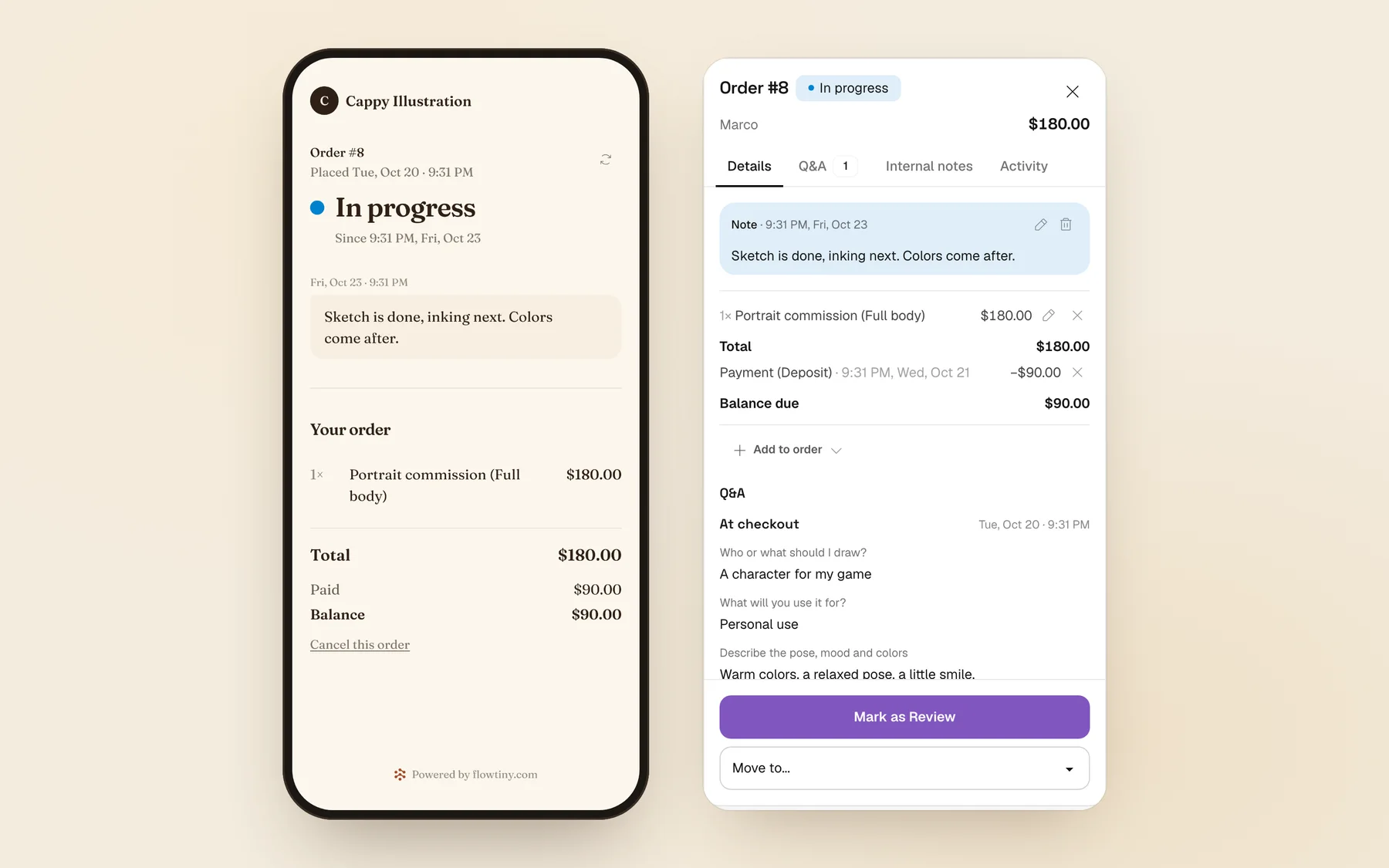
Orders customers can follow
Each order has a page with its current phase and your latest note. Customers open it from a link. No account, nothing to install.
Features
What you get, for you and for the people who order from you.
A board in your own phases
Name the steps an order goes through, give each a color and drag orders along. Switch to tabs or a table when that suits you better.
Everything about an order, in one place
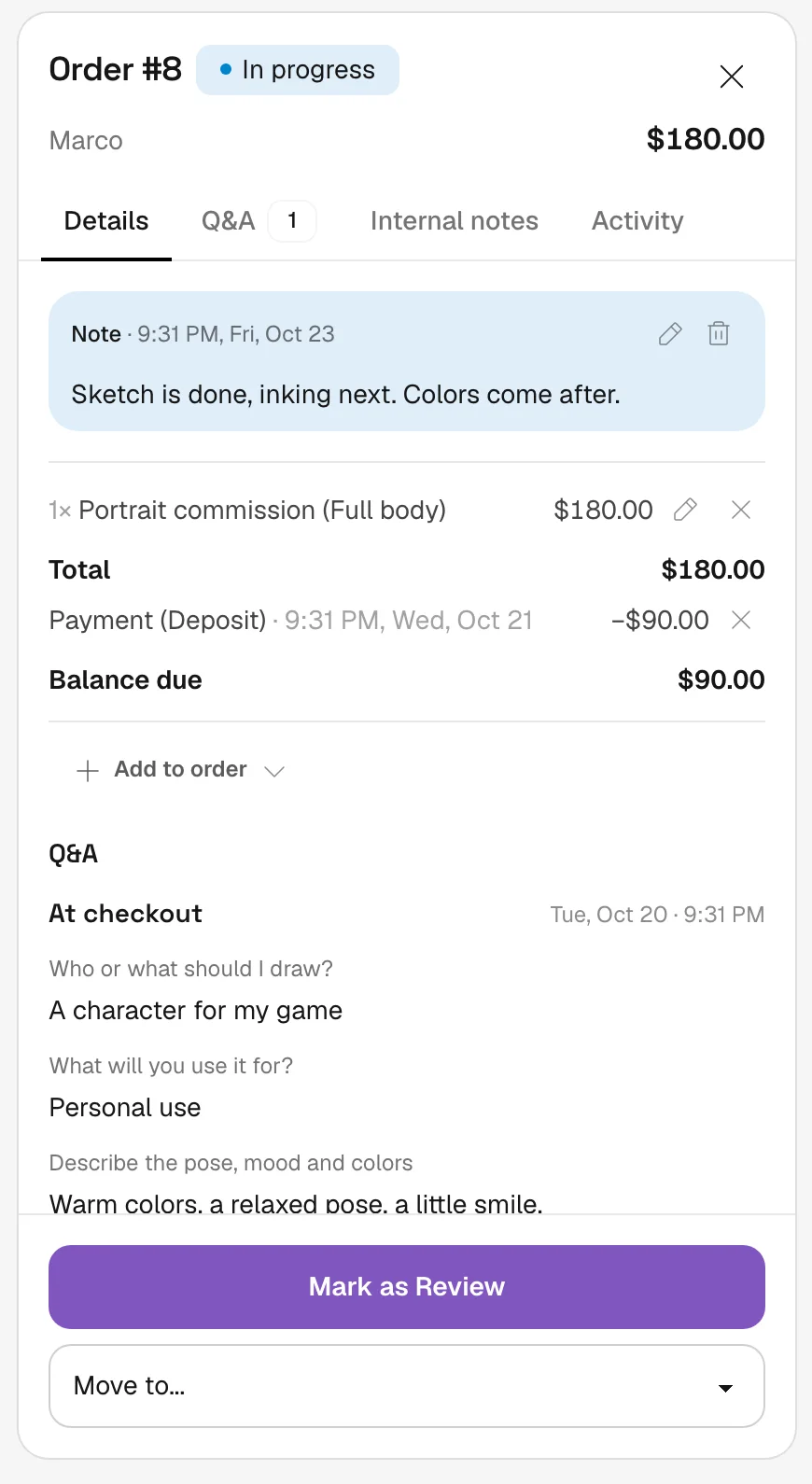
Items, charges, discounts and deposits, the customer's answers, your notes and the payments you have received. Leave the customer a message in each phase, with files if it helps.
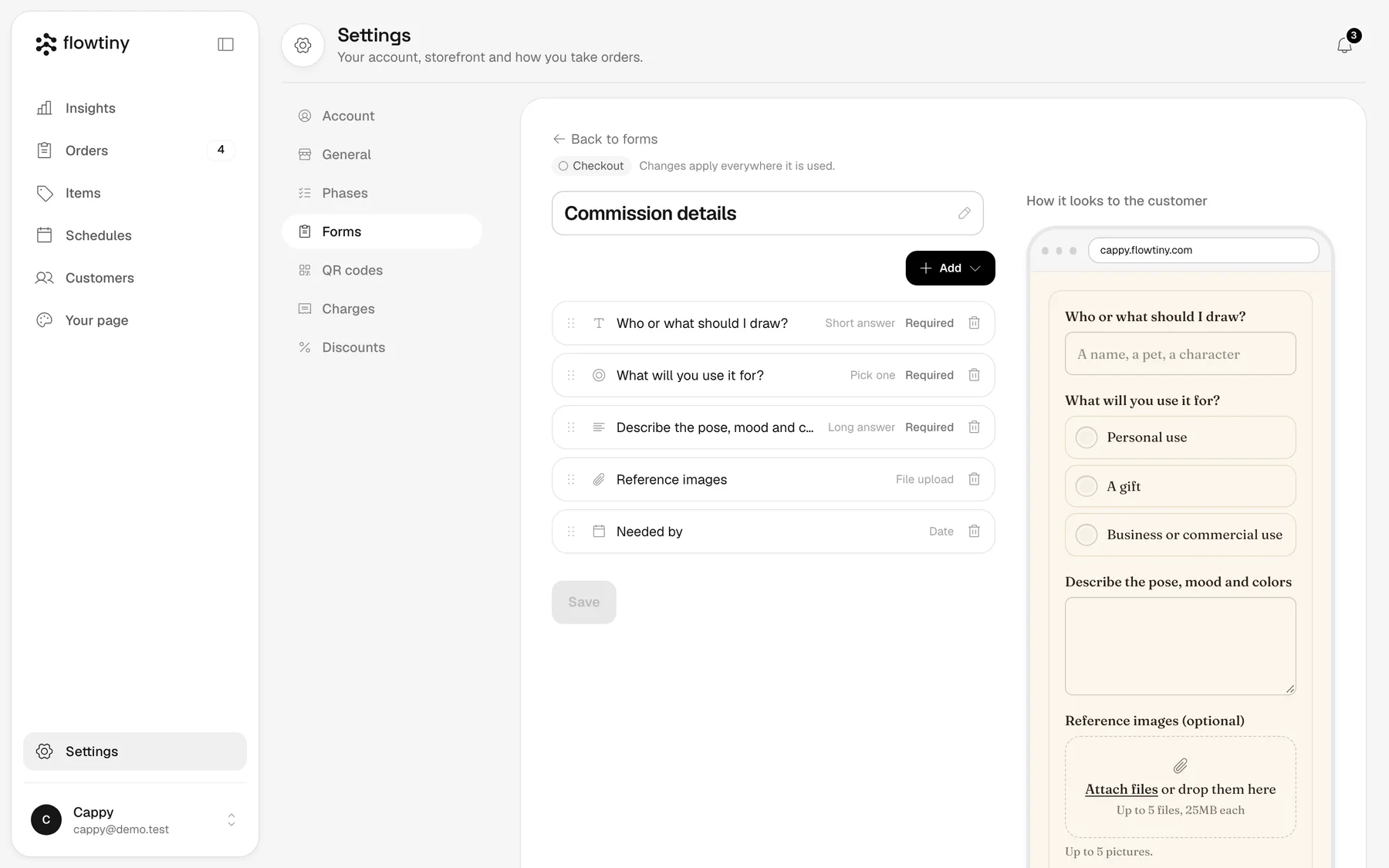
Forms for any question
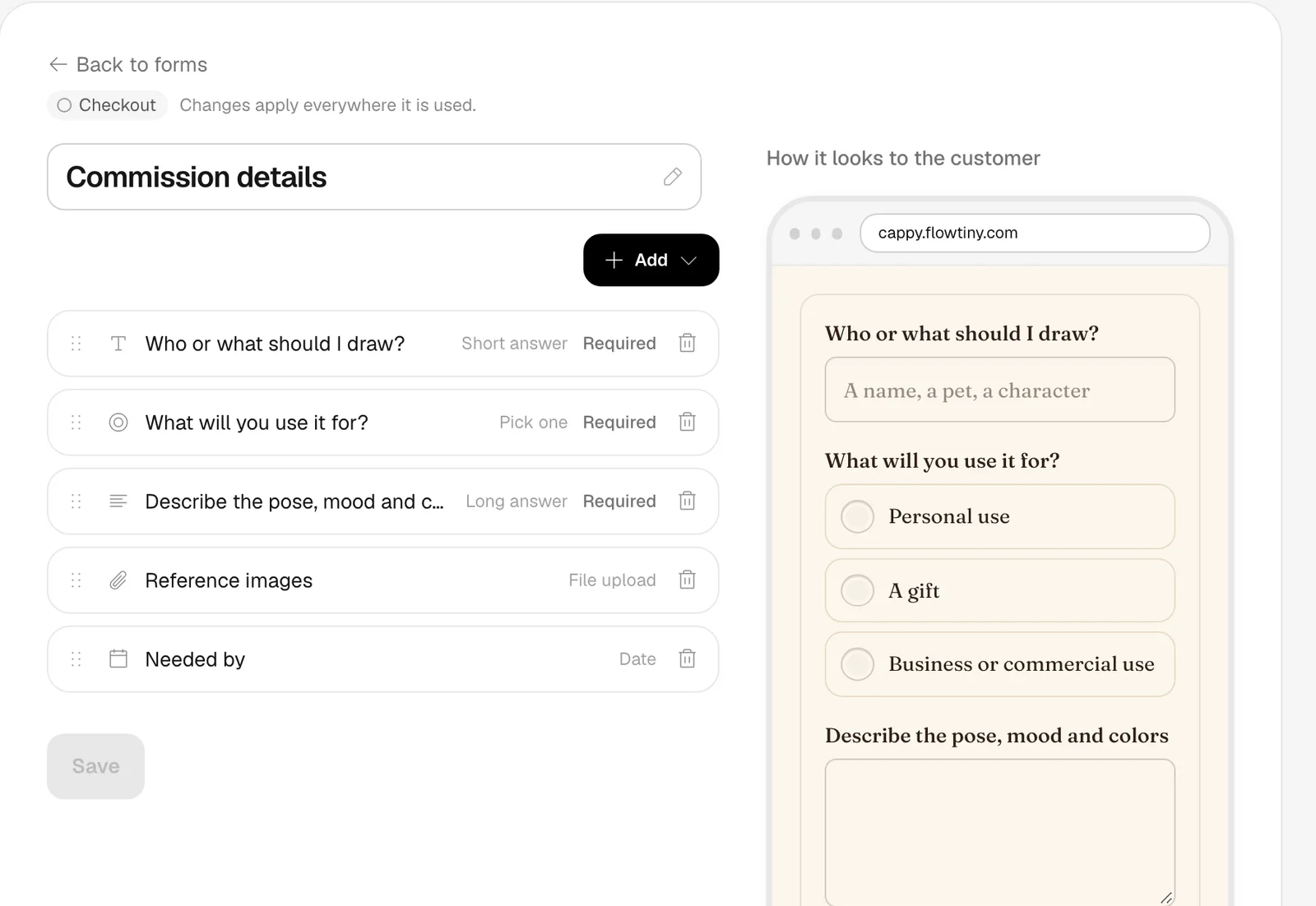
Ask at checkout or in any phase: text, choices, dates, pictures, files, an address. A question can show up only when it applies, and you see the customer's view as you build.
A page to order from, and one to follow
Customers pick items on a catalog page in your colors, font and layout, then follow their order from a link. No account and no app.
See how it's going
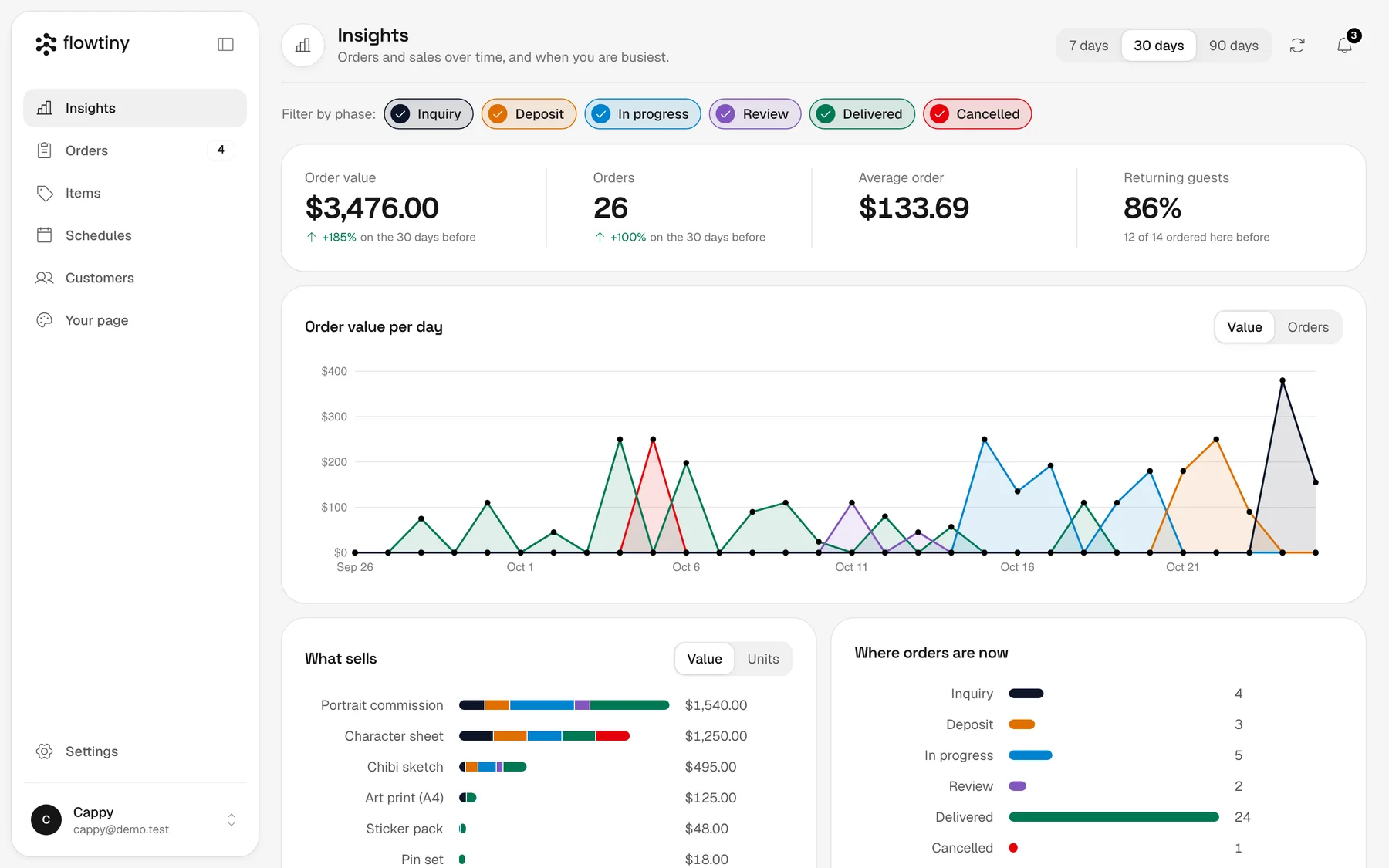
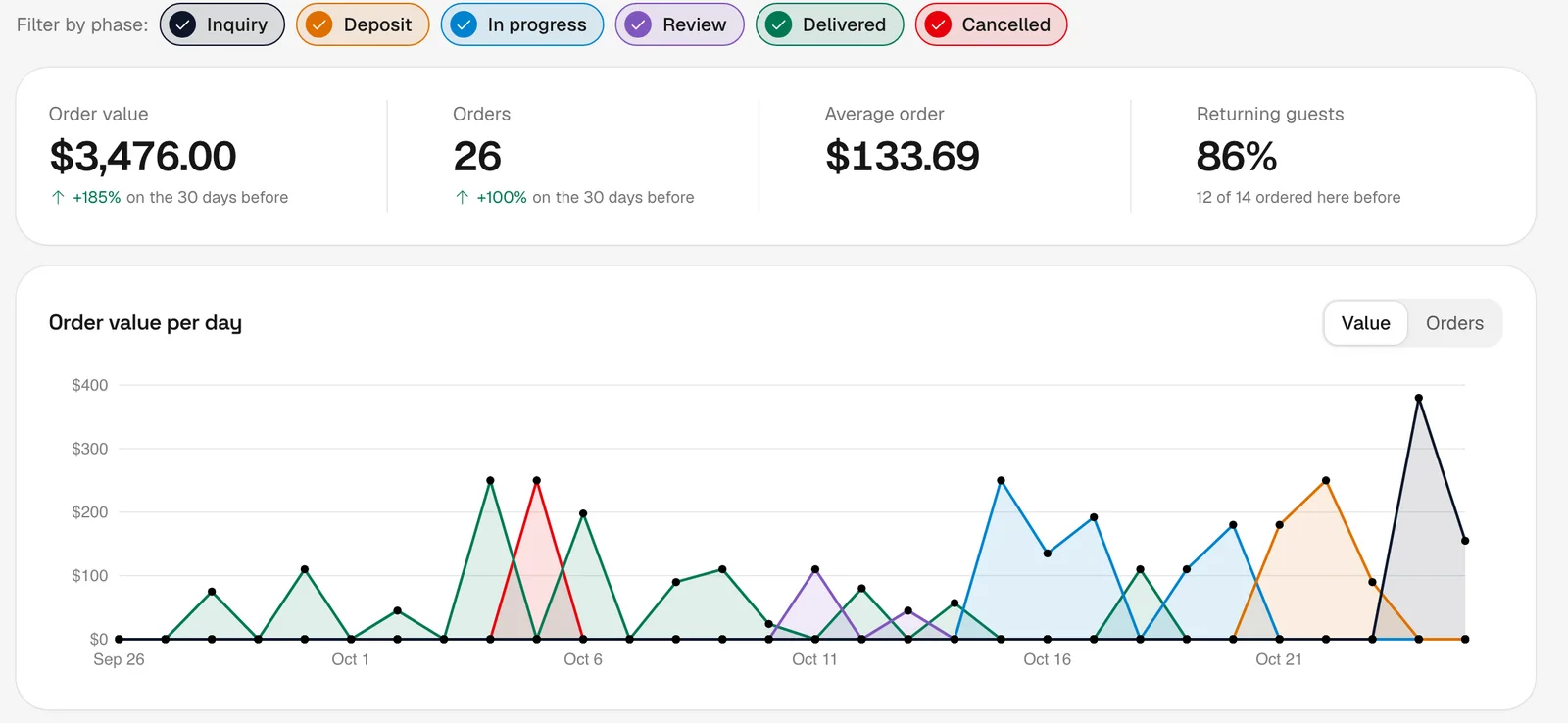
Orders and sales over time, what sells, your busiest hours and where every order is right now.
Get started while it's free
No card to hand over and nothing to install. Add your items, name your phases and take your first order today.
Right now
Free
We'll set a price later and tell you before billing starts.
- A catalog page at your own link, in your colors, font and layout
- A board of phases you name, as a board, tabs or a table
- Forms at checkout and in any phase
- Notes, charges, discounts and deposits on every order
- An order page customers follow, with no account
- Insights, stock, discount codes and QR codes
- No cut of your sales. Ever.
Frequently Asked Questions
What does Flowtiny do?
It gives you a catalog page your customers order from, a board where every order moves through the phases you define, and an order page they can follow. You choose the questions they answer and the steps an order goes through.
Who is it for?
Anyone who takes orders, from one person with a phone to a team. If a customer asks for something and you make it, sell it or do it, it fits.
What do my customers see?
A catalog page at your own link, in your colors and font: your items with photos, options and prices. They pick what they want, answer your questions and place the order. No app, no signup.
Do I need a shop or a website?
No. The catalog page is your shop. Share its link in your bio, your chats and your posts. A QR code is there when you want one.
Can I set up my own workflow?
Yes. An order moves through phases you name yourself: Inquiry, In production, Out for delivery, anything. Pick what you sell and we set up a starting set, then rename, reorder or replace the phases.
What can I ask my customers?
Whatever you need to fill the order: short answers, numbers, dates, choices, photos and files. Ask at checkout, or when an order reaches a phase, like "upload your reference" or "approve the sketch".
How do customers pay?
However you like. Put your payment details in your form or in a note: an account number, a QR image, a payment link, or cash. A customer can attach a screenshot as an answer, and you leave a note once you've checked it. The money goes straight to you. We never touch it and never take a percentage.
Do customers need an account?
No. They give a name, and their phone remembers it. Every order also has its own link, so you can send it and they follow the order from any phone.
How do customers follow an order?
Each order has a page that shows its current phase and your latest note. They open it from the link any time, with nothing to install.
Can I use it in person?
Yes. Print a QR code and put it where people stand: a table, a counter, a booth. Every customer orders on their own phone, so nothing queues behind one screen, and you work from the board.
Is it a store builder or a point of sale?
It's simpler than both: a catalog page to order from and a board to run the orders. You set up your items, your form and your phases, and that's all there is to it.
Can it look like my brand?
Yes. Colors, font, corner style and catalog layout. Set them in Settings and customers see you, not us.
Can I run it from my phone?
Yes. The board, your items and your workflow all work on a phone. In Chrome or on Android you can install it, and on an iPhone use Share, then Add to Home Screen.
What if something sells out?
Switch the item off and it disappears from your catalog. Switch it back on when you have more.
How much does it cost?
It's free for now, with nothing to set up. We'll set a price later and tell you before billing begins. We never take a cut of your sales.